Practice queue
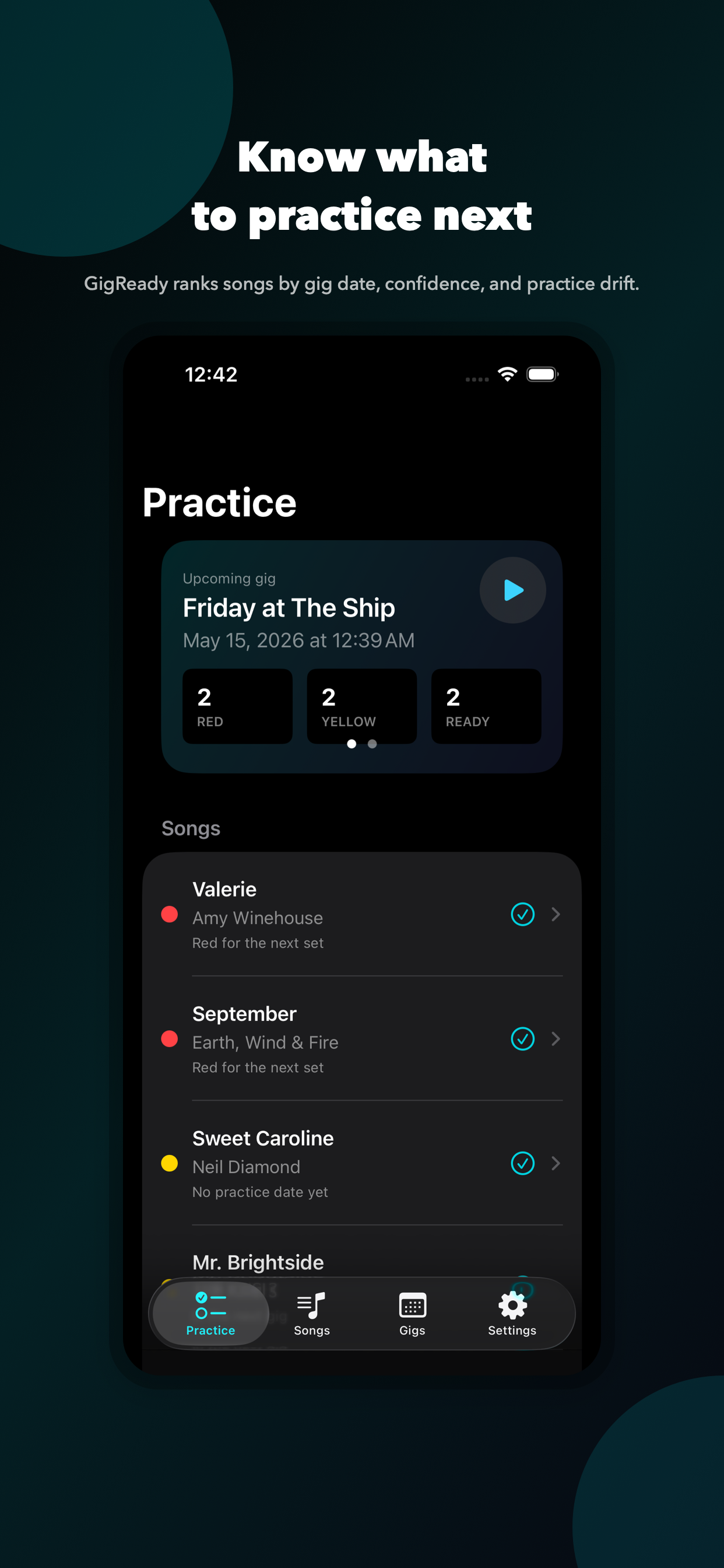
Rank songs by upcoming gig, confidence, and last-practiced date so rehearsal time has a clear target.
 GigReady
iPhone app for gigging cover musicians
GigReady turns your songs, setlists, confidence ratings, rehearsal notes, and shared music links into one focused practice queue.
The wedge
Add your repertoire, build upcoming gigs, mark each song red, yellow, or ready, and let GigReady surface the songs that need attention before showtime.
Rank songs by upcoming gig, confidence, and last-practiced date so rehearsal time has a clear target.
Build a focused 10, 20, or 40 minute session, work the risky moments, and rate each attempt as Rough, Better, or Locked.
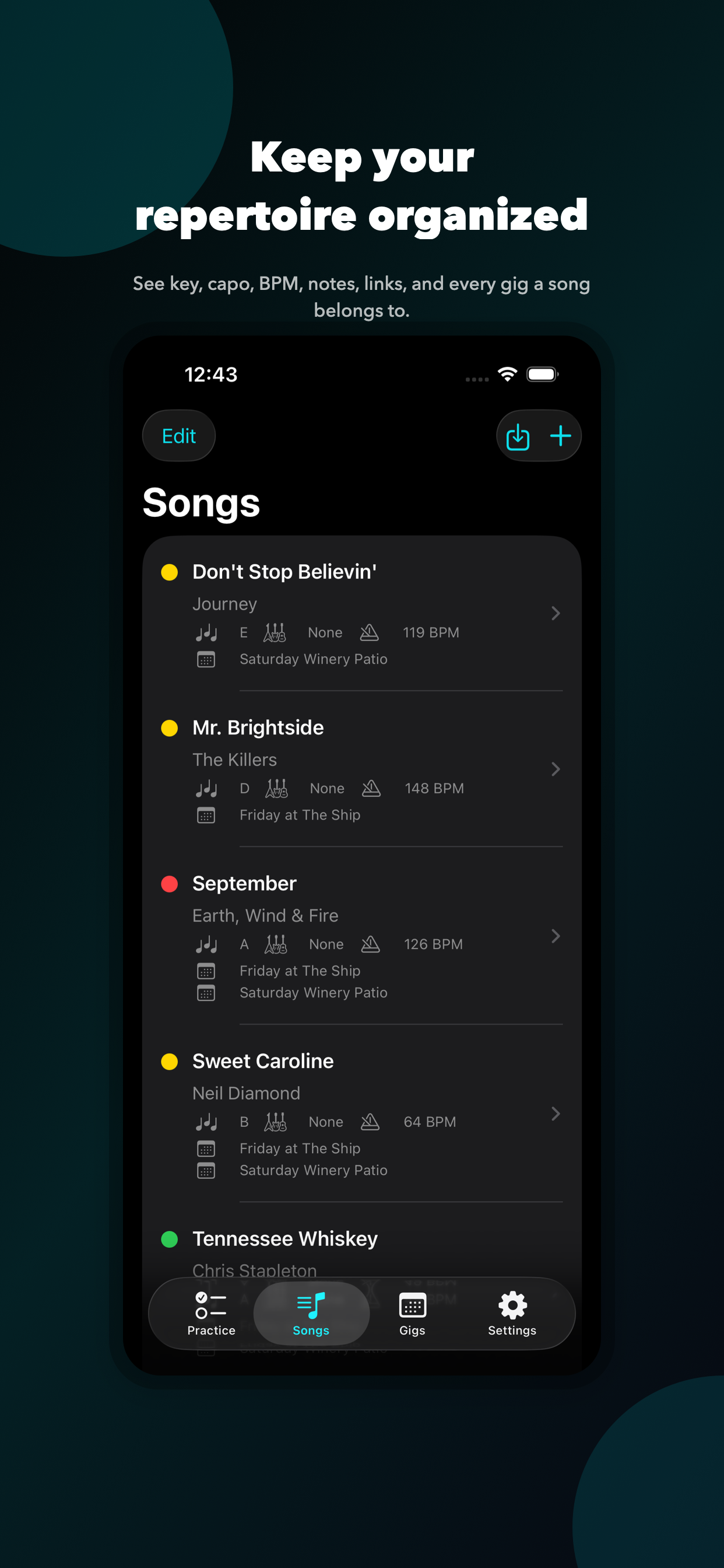
Create gig cards, order songs, and see which setlists each song belongs to from the Songs tab.
Keep key, capo, BPM, start cues, arrangement notes, transitions, and reference links close at hand.
Share to add
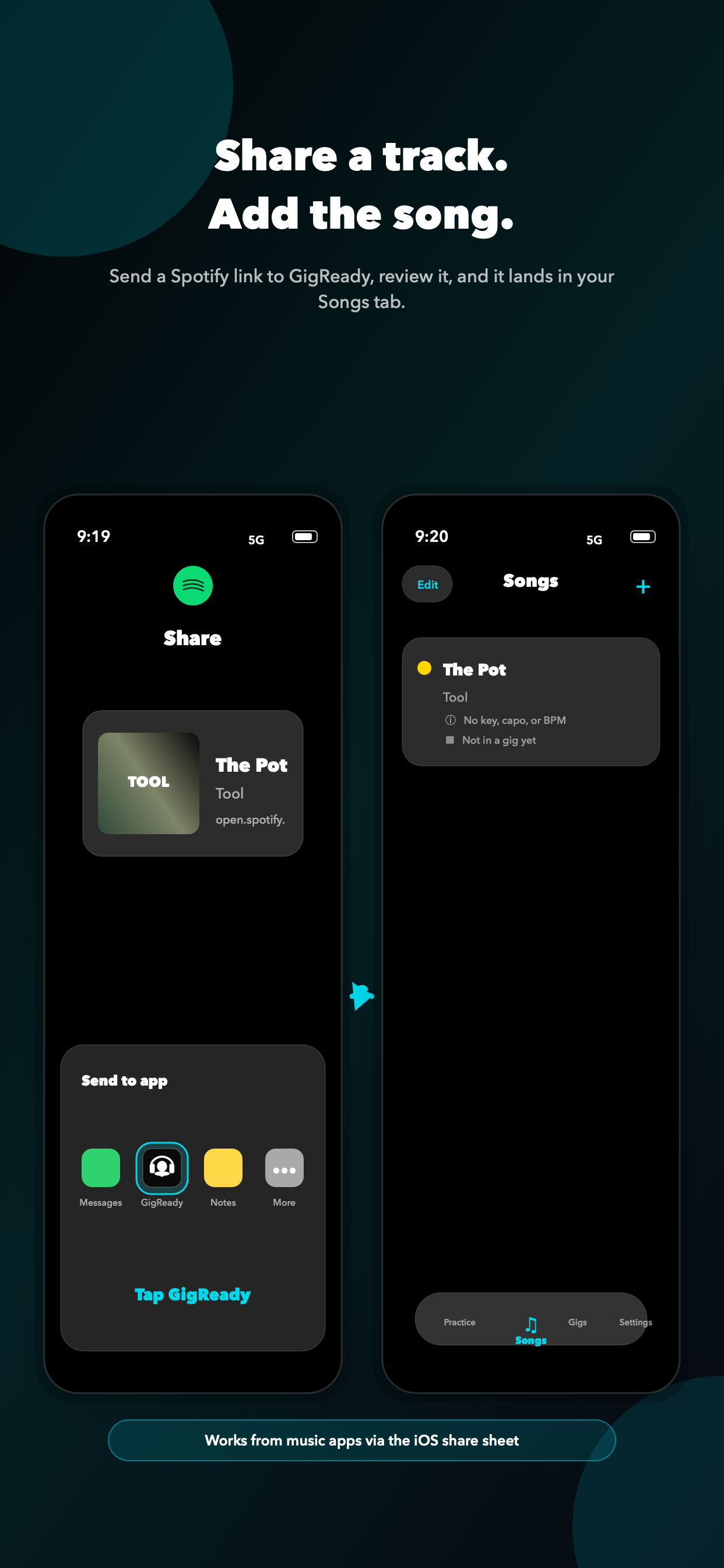
Share a track or link from Spotify, YouTube, Apple Music, Amazon Music, Safari, or Notes. GigReady opens a review screen, then saves the song to your library or a selected gig.
GigReady does not provide copyrighted lyrics, sheet music, recordings, or backing tracks. Users add their own notes and reference links.
No account is required. Songs, gigs, readiness, and notes are stored locally on device.
Straight answers
GigReady is an iPhone setlist and practice planner for cover musicians, bandleaders, and solo gigging musicians. It organizes songs, gigs, readiness ratings, practice priorities, and stage notes.
GigReady ranks songs using the upcoming gig date, your confidence rating, recent practice, and unresolved risky moments such as transitions, cues, and endings.
Yes. Stage Mode presents large, dark, swipeable notes for each song in setlist order, including keys, capo, BPM, start cues, and arrangement notes.
Yes. Use the iOS Share button to send a track link or text to GigReady, review the detected song information, and save it to your song library or a gig setlist.
No. GigReady does not provide copyrighted lyrics, sheet music, recordings, or backing tracks. You add your own performance notes and reference links.
No. GigReady works without an account. Songs, gigs, setlists, readiness ratings, and notes are stored locally on your device.